Kendo UI for jQuery NumericTextBox Overview
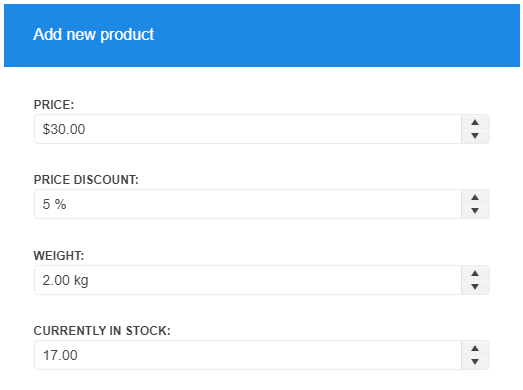
The NumericTextBox converts an <input> element into a numeric, percentage, or currency textbox.
By default, the widget renders Spin buttons which increase or decrease the value with a predefined step.
The NumericTextBox is part of Kendo UI for jQuery, a
professional grade UI library with 110+ components for building modern and feature-rich applications. To try it out sign up for a free 30-day trial.

Functionality and Features
-
Formats—You can use the specific
formatproperty of the NumericTextBox and define the conversion data type such as currency or percentage. - Input Restrictions—The NumericTextBox enables you to impose restrictions on the input value, for example, to control the precision of the entered number.
- Globalization—The NumericTextBox supports globalization to ensure that it can fit well in any application, no matter what languages and locales need to be supported. Additionally, the NumericTextBox supports rendering in a right-to-left (RTL) direction.
- Accessibility—The NumericTextBox is accessible for screen readers, supports WAI-ARIA attributes, and delivers keyboard shortcuts for faster navigation.
To learn more about the appearance, anatomy, and accessibility of the NumericTextBox, visit the Progress Design System documentation—an information portal offering rich component usage guidelines, descriptions of the available style variables, and globalization support details.
Next Steps
- Getting Started with the Kendo UI NumericTextBox for jQuery
- Demo Page for the NumerictTextBox
- JavaScript API Reference of the NumericTextBox